
Free Christmas Ecards: Editable Word and PDF Card Templates
Pick a free Christmas ecard you can actually keep. Download two editable card templates, Classic Red and Green and Modern Holiday, as Word files or PDFs. Personalise the greeting, then email the finished card as a PDF, text it to family, or print and fold it at home for friends, coworkers and customers.
Free Christmas ecard templates to download
Classic Red and Green
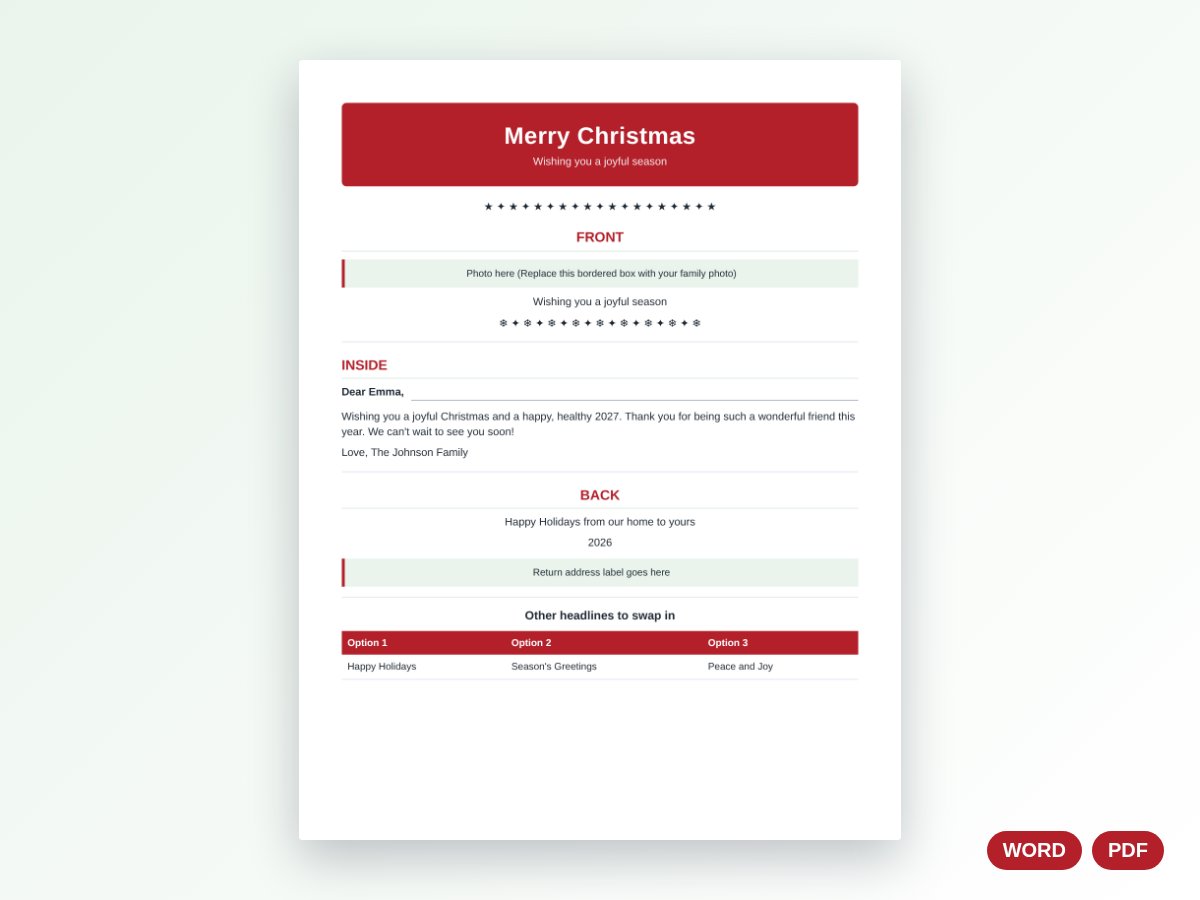
A traditional folded card with a bold red headline and a green border, ideal for family and friends and for printing at home.

Free download:
Modern Holiday
A clean, simple design in cool blue tones, suited to coworkers, small businesses and inclusive Happy Holidays greetings.

Free download:
What's in each card
Both designs are laid out as one document with three clearly labelled parts, FRONT, INSIDE and BACK, so you always know which part of the card you're editing.
- Front: Classic Red and Green opens with a bold "Merry Christmas" headline. Modern Holiday starts with a "Photo here" box for your family photo, with "Merry Christmas" underneath.
- Inside: Both cards begin with "Dear Emma," so you just swap in your recipient's name and write your message below it.
- Back: Each card has its own back panel, so the folded card looks finished from every side.
- Swap-in headlines: Not everyone on your list celebrates the same way. Classic Red and Green includes a small table of headline options (Option 1, Option 2, Option 3), and Modern Holiday lists alternative headlines you can drop onto the front. Think Happy Holidays or Season's Greetings.
Classic Red and Green suits family and friends. Modern Holiday, with its cool blue tones, works nicely for coworkers, small businesses and inclusive greetings. Want more looks? Browse our full set of Christmas card templates.
How to send it as an ecard or print it
Pick it, download it, make it yours:
- Edit in Word. Open the file and change "Dear Emma," to your recipient's name. Then write your message and add your sign-off. For Modern Holiday, click the "Photo here" box and insert your own picture.
- Send it digitally. Choose File > Save As and pick PDF. Attach the PDF to an email, or text it straight from your phone. Nobody needs an account to open it.
- Print it at home. Use US Letter paper and set your printer to landscape. If your printer can handle card stock, use it. The card will stand up on a mantel much better.
- Fold it neatly. Fold the sheet in half across the middle. Run the edge of a ruler along the fold to get a sharp, crisp crease.
Tip: print one test copy on plain paper first. It's the easiest way to check that your photo and text land on the right panels before you use your good card stock.
If you'd like matching paper for a longer holiday letter, our Christmas stationery templates pair well with either card.
Message ideas
Stuck on what to write inside? Borrow one of these and tweak it to sound like you:
- Short: "Merry Christmas! Wishing you peace and joy."
- Warm: "Thinking of you this season and wishing you a wonderful year ahead."
- Inclusive: "Happy Holidays from our family to yours."
- Work: "Thank you for a great year. Wishing you a happy holiday season."
Short messages fit best under a photo. Save the longer, chattier notes for the inside of Classic Red and Green, where there's more room to write.
Questions people ask
Are these Christmas ecards really free?
Yes. Both templates are free to download for you to edit and send. You don't need a subscription or sign-up.
What format are the files?
They're Word and PDF files. Make your changes in Word first, then save as PDF to email or print. That way, the layout stays the same on every screen.
How do I keep my email list private?
Check each recipient's email address twice before you hit send. If you don't want everyone to see each other's names and addresses, send one email per person instead of one big group message. It takes a little longer, but it feels more personal too.
Can I use one card for a whole office?
Sure. Modern Holiday with a Happy Holidays headline is a good fit. Just change the name on the inside for each person before saving each PDF.
Can't find the design you want?
Use the Ask for a Template form, and we'll see what we can add to the library.